Ojasvi Khanna

Ojasvi Khanna

Ojasvi Khanna

UI/UX- Platform Redesign

GST Billing SaaS Platform

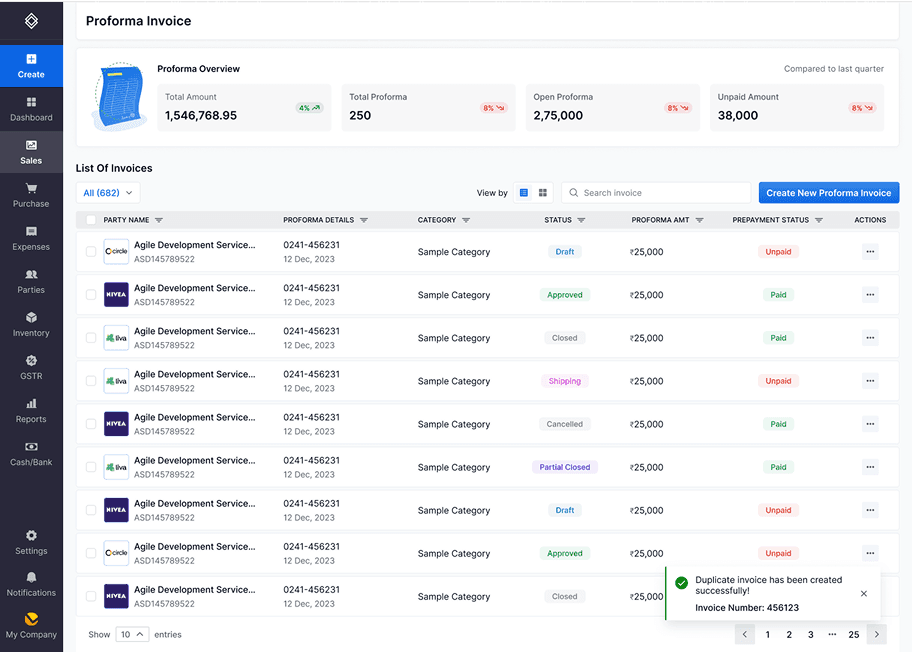
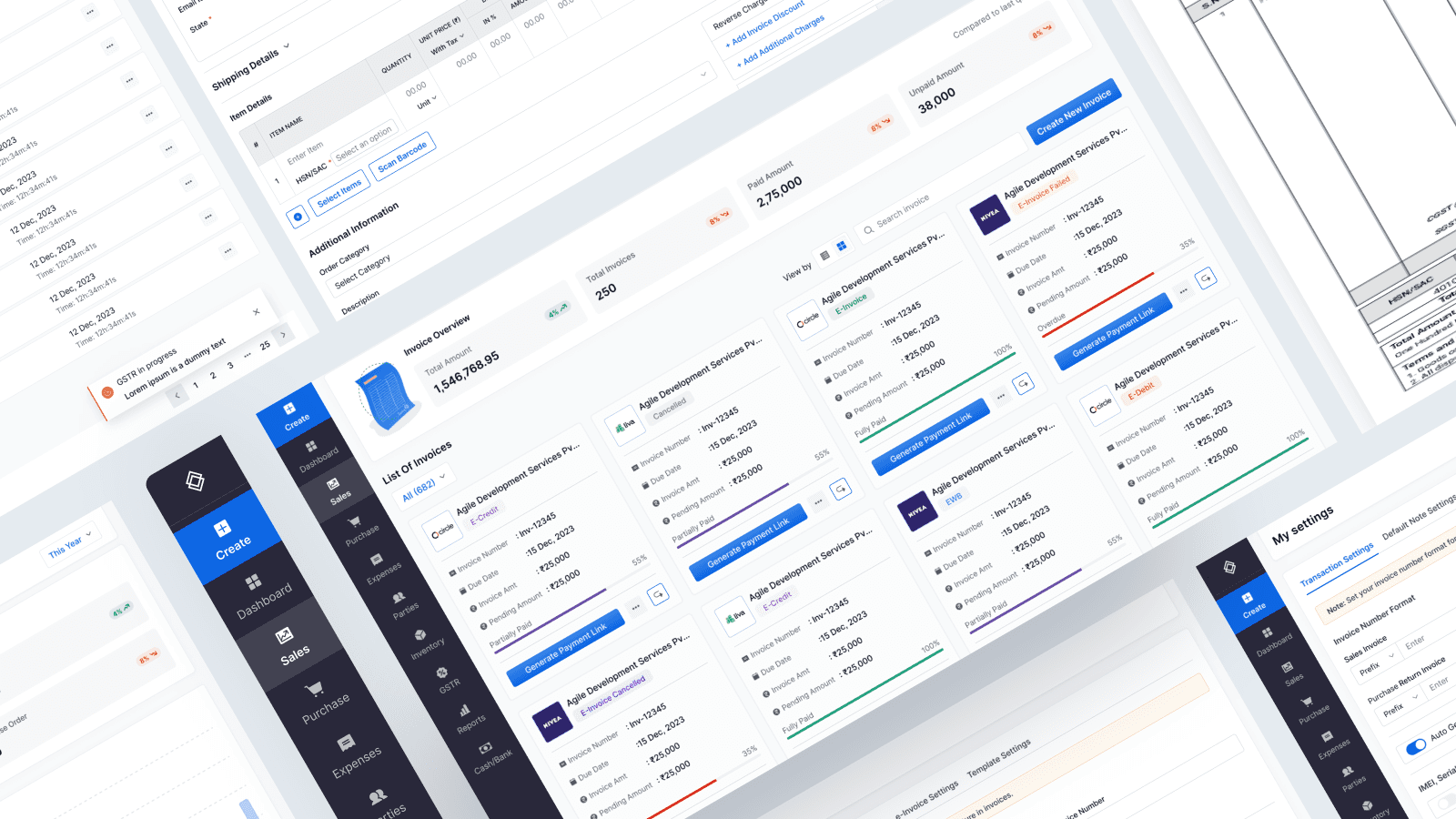
Redesigned a business platform to simplify invoice and e-way bill creation workflows for Admin, Standard, CA, and Trial users. Streamlined complex user journeys through research-driven design, resulting in improved task efficiency and user satisfaction.

Scope

Industry Led Live Project

Industry

Fintech

Duration

3 months

Tools

Figma, Useberry, Slack

Setting the Stage

Challenge

Challenge

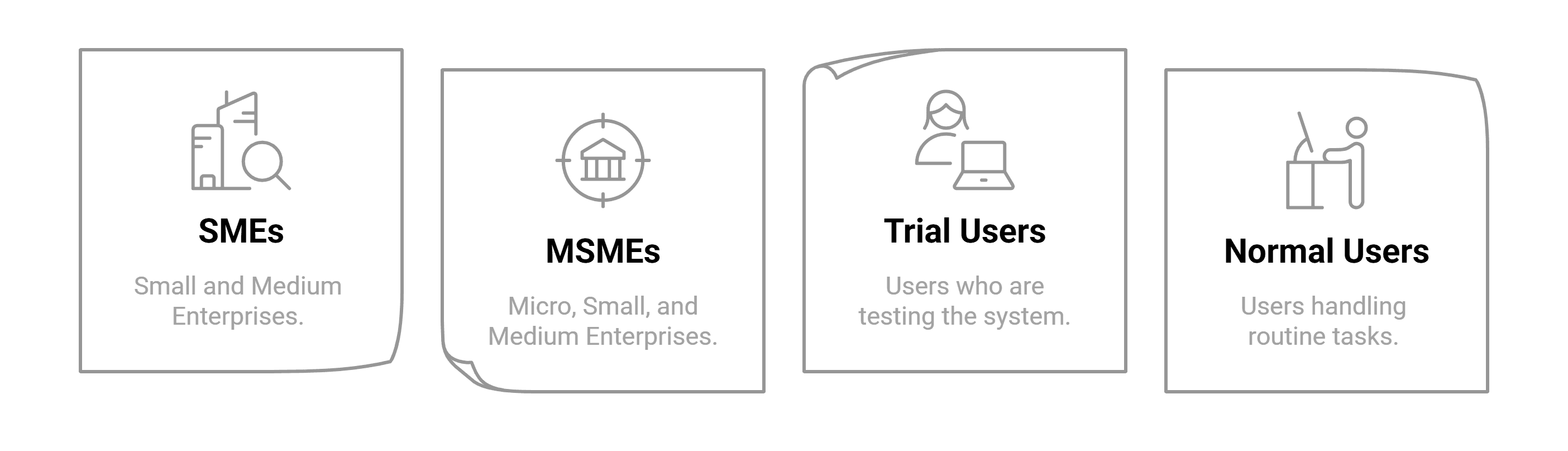
The CaptainBiz SaaS platform suffered from complex user flows and inefficient task completion processes, particularly for critical business functions like invoice and e-way bill creation. Users across different roles (SMEs, MSMEs, CA professionals, and trial users) struggled with convoluted workflows that hindered productivity and created friction in essential business operations.

The CaptainBiz SaaS platform suffered from complex user flows and inefficient task completion processes, particularly for critical business functions like invoice and e-way bill creation. Users across different roles (SMEs, MSMEs, CA professionals, and trial users) struggled with convoluted workflows that hindered productivity and created friction in essential business operations.

My Role

My Role

As a UX/UI Design Intern, I led UX research and design strategy within a 3-person team. I conducted field research and user interviews, collaborated directly with clients for requirements gathering, and spearheaded UI design direction while ensuring all decisions were grounded in user feedback and research insights.

As a UX/UI Design Intern, I led UX research and design strategy within a 3-person team. I conducted field research and user interviews, collaborated directly with clients for requirements gathering, and spearheaded UI design direction while ensuring all decisions were grounded in user feedback and research insights.

Solution

Solution

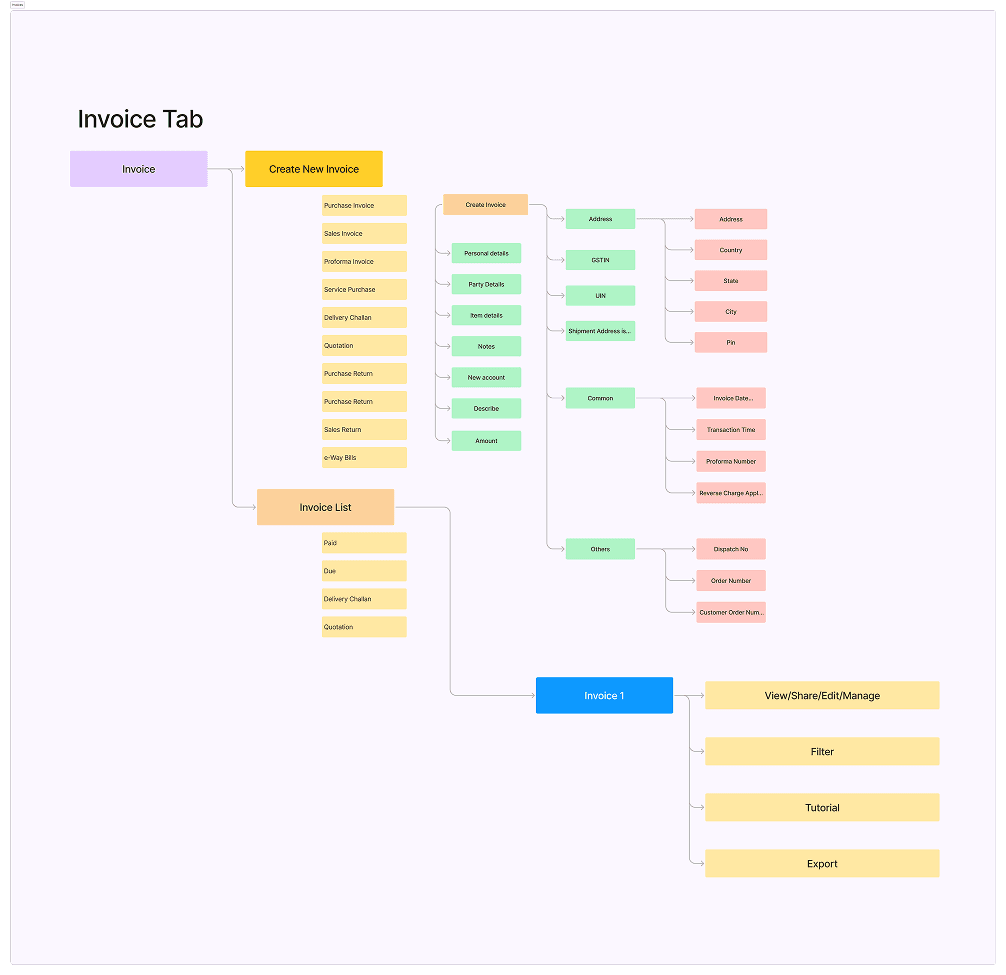
We implemented a comprehensive redesign focused on improving user comprehension and feature discoverability through visual clarity and restructured information architecture. The solution centered on creating intuitive workflows that allowed users to complete tasks confidently while easily accessing the platform's full capabilities.

We implemented a comprehensive redesign focused on improving user comprehension and feature discoverability through visual clarity and restructured information architecture. The solution centered on creating intuitive workflows that allowed users to complete tasks confidently while easily accessing the platform's full capabilities.

Lets Dig Into it

We conducted on-field research and interviews to gain deeper insights into user needs and enhance the platform's functionality to better serve SMEs and MSMEs.
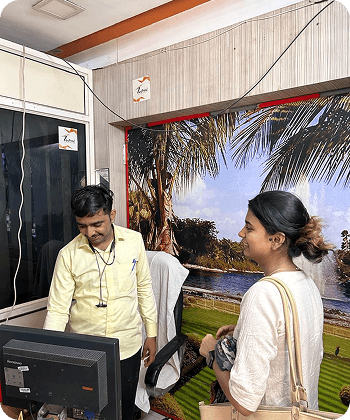

On Field Research

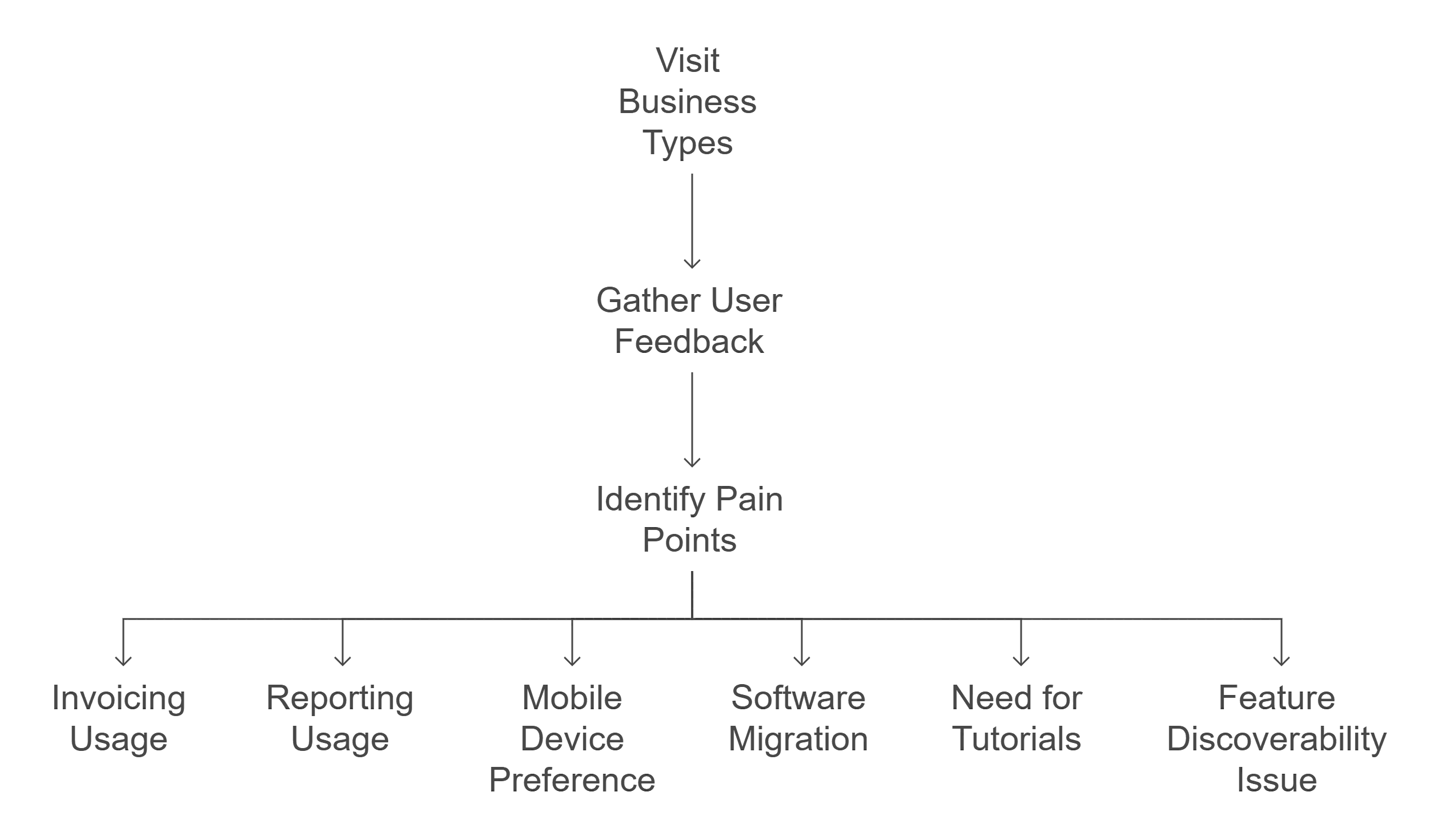
Visited 3 different business types: auto care retailer, beverage manufacturer, and computer gallery

Status Indicators:

 Visual cues (like color-coded tags or badges) help users spot pending actions or alerts instantly

Inventory ageing:

Helps users track stock movement and make informed decisions without switching tools or views.

Ratings:

On Field Research

Visited 3 different business types: auto care retailer, beverage manufacturer, and computer gallery

Lack of motivation: No direct incentive or clear communication from management to shift to the dashboard.

Manpower churn: New joiners are unaware of the platform.

User Interview

User Interview

There was a clear preference for personalized music suggestions based on listening habits.

Gathered feedback on platform usability, feature discovery, and workflow efficiency

Identified pain points in critical business processes like invoicing and inventory management

Insights

Insights

100% of users primarily used the platform for invoicing, but 0% utilized reporting features

67% of businesses used mobile devices as their preferred platform

07% of users had migrated from other billing software (Vyapar, Tally)

Users needed guided tutorials and faced initial navigation difficulties

Feature discoverability was a major issue with existing functionality being underutilized

Connecting Dots

My Approach

I'm reimagining how small business owners should feel when managing their finances: confident, empowered, and in control. reframe in this way

To build software that learns users' patterns - remembering preferences, suggesting shortcuts, and personalizing the interface to make every interaction feel tailored and efficient.

To transform invoice creation by designing flows that mirror users' existing business routines - replicating the natural sequence they follow when writing manual receipts or filling spreadsheets - making digital billing feel like a seamless continuation of their established daily habits rather than learning an entirely new process.

User Persona

Jagdish Patel

Auto Parts Retailer

5-15 employees

Age: 35-45

Location: Ahmedabad

Tech Proficiency: Moderate

Gender: Male

[Goal]

Access all features easily without hunting through menus

Generate meaningful business reports effortlessly

Generate accurate GST-compliant invoices quickly

[Frustrations]

Wastes time requesting features that already exist but are hidden

Struggles to format and share reports properly with accountant/partners

Can't figure out advanced filtering or customization options
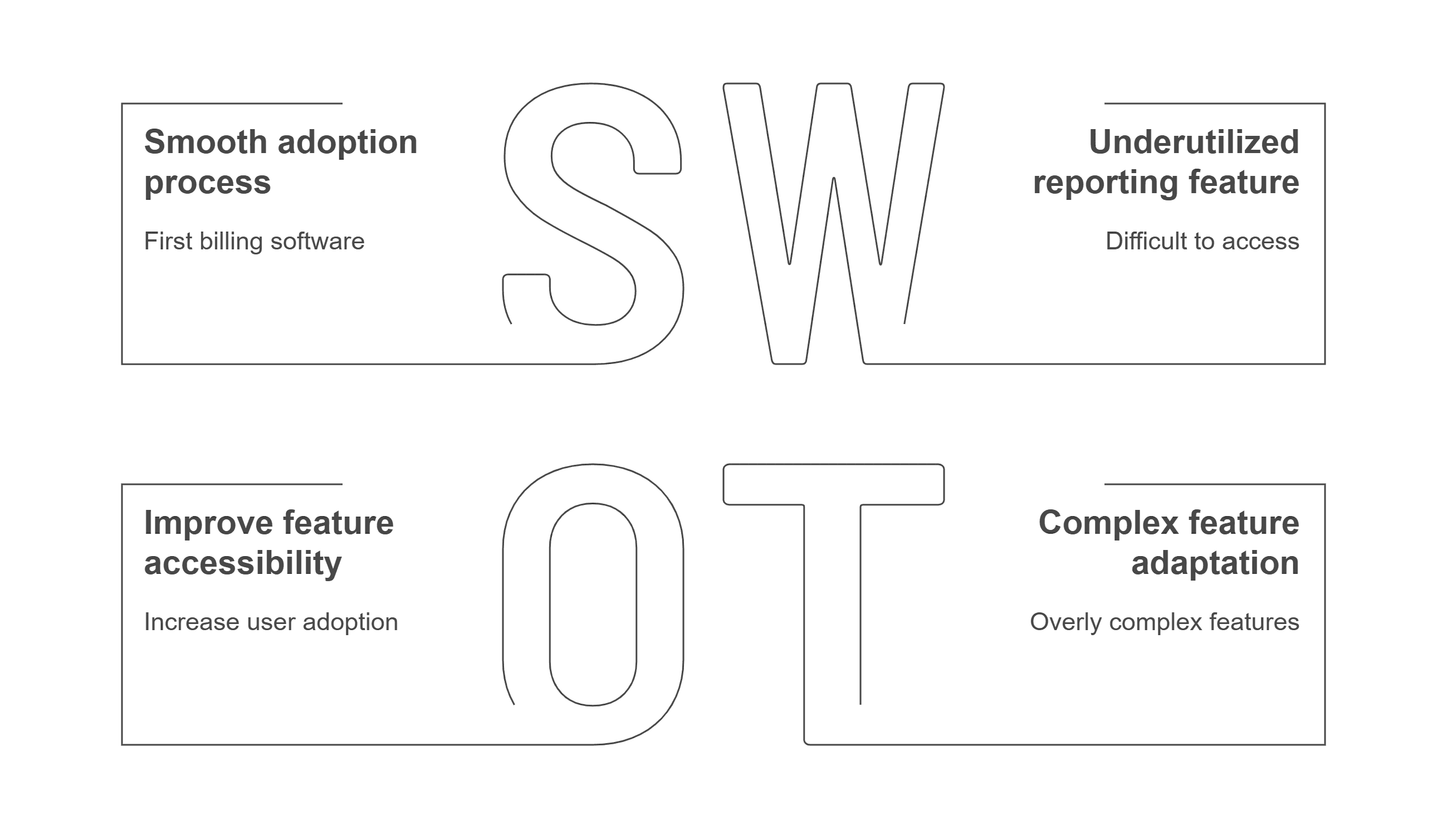
Pain Points

Invoice Generation Confusion

Feature Discovery
Gap (Hidden Functionality)
Navigation Confusion
& Report Sharing Difficulties

Getting to know more
Market Gap Identification

Vyapar limitations - Poor navigation and accessibility issues

Tally complexity - Over-engineered for small business needs

Support gaps - Limited customer guidance and onboarding assistance

Market Gap Identification

Vyapar limitations - Poor navigation and accessibility issues

Tally complexity - Over-engineered for small business needs

Support gaps - Limited customer guidance and onboarding assistance

Must-Have Features (Based on User Research)

Invoice generation - Core functionality used by all user types

PDF/WhatsApp sharing - Essential for customer communication

Basic inventory tracking - Needed by majority of users

Must-Have Features (Based on User Research)

Invoice generation - Core functionality used by all user types

PDF/WhatsApp sharing - Essential for customer communication

Basic inventory tracking - Needed by majority of users

Nice-to-Have Features

Advanced reporting - Currently underutilized but has potential

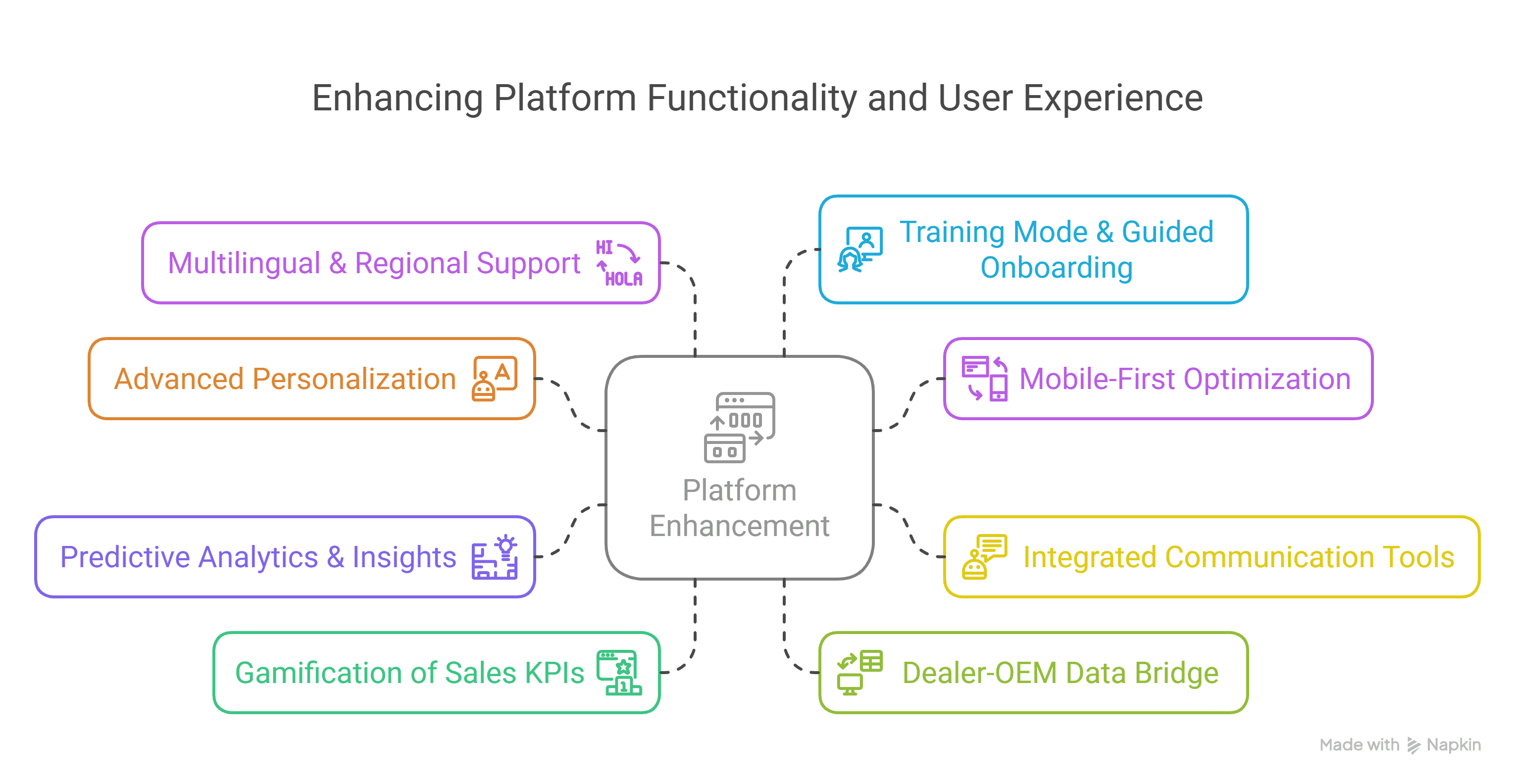
Multilingual support - Local language interfaces for regional businesses

Guided onboarding - Step-by-step tutorials based on business type

Nice-to-Have Features

Advanced reporting - Currently underutilized but has potential

Multilingual support - Local language interfaces for regional businesses

Guided onboarding - Step-by-step tutorials based on business type

Sketching the Vision

Setting the Vibe

Lets Execute the Thought

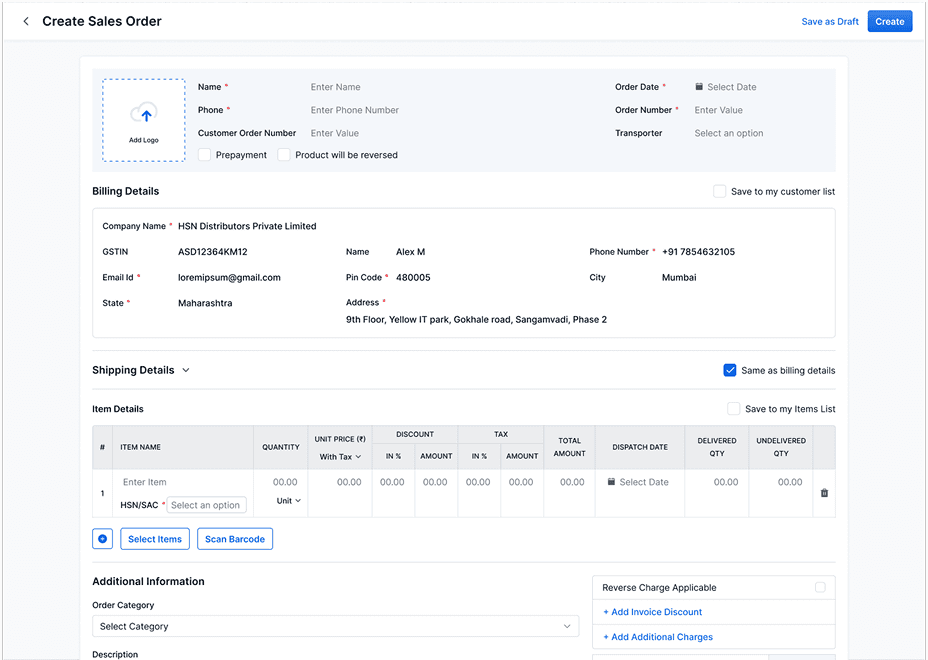
Creating Sales Invoice/ Sales Order
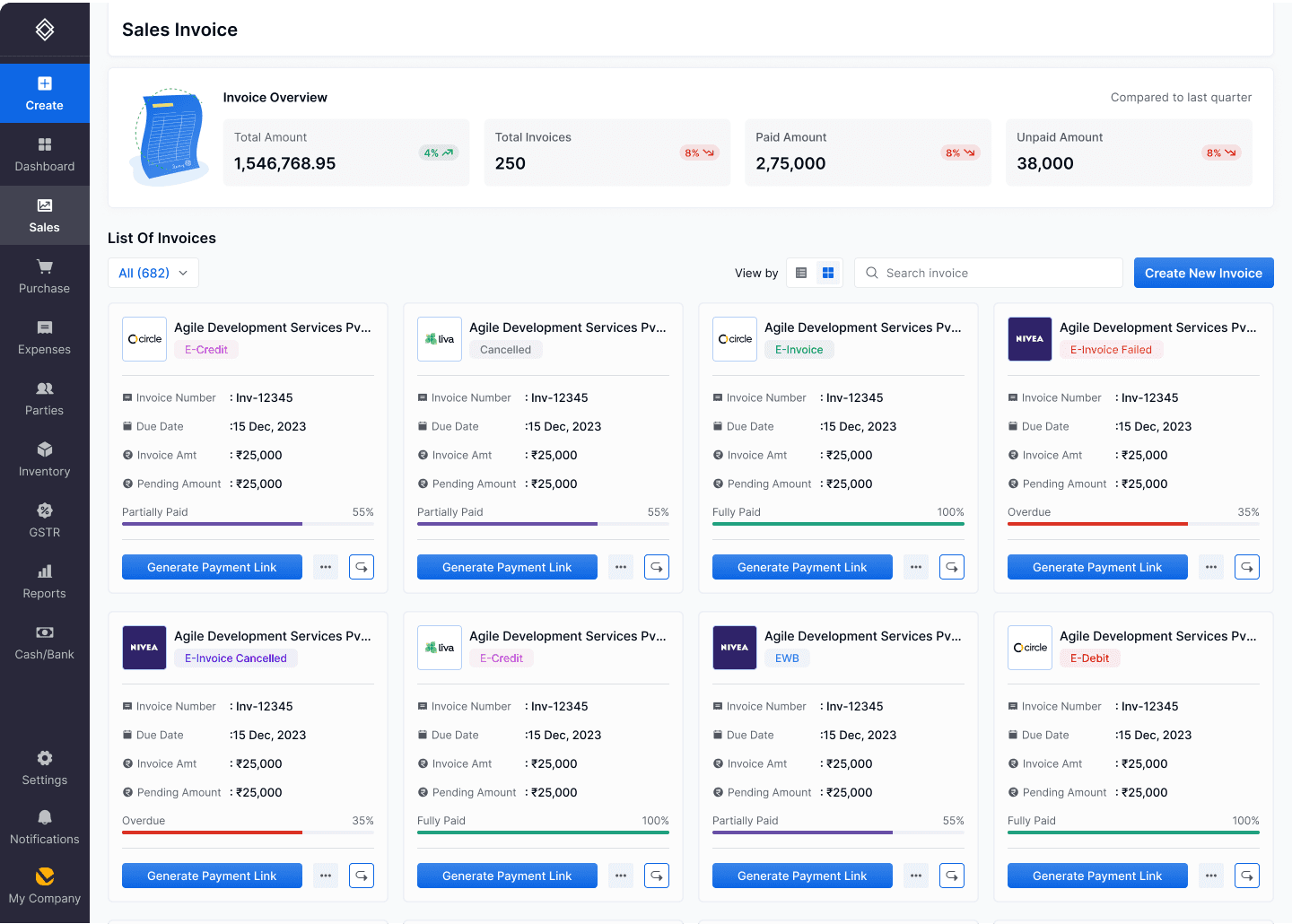
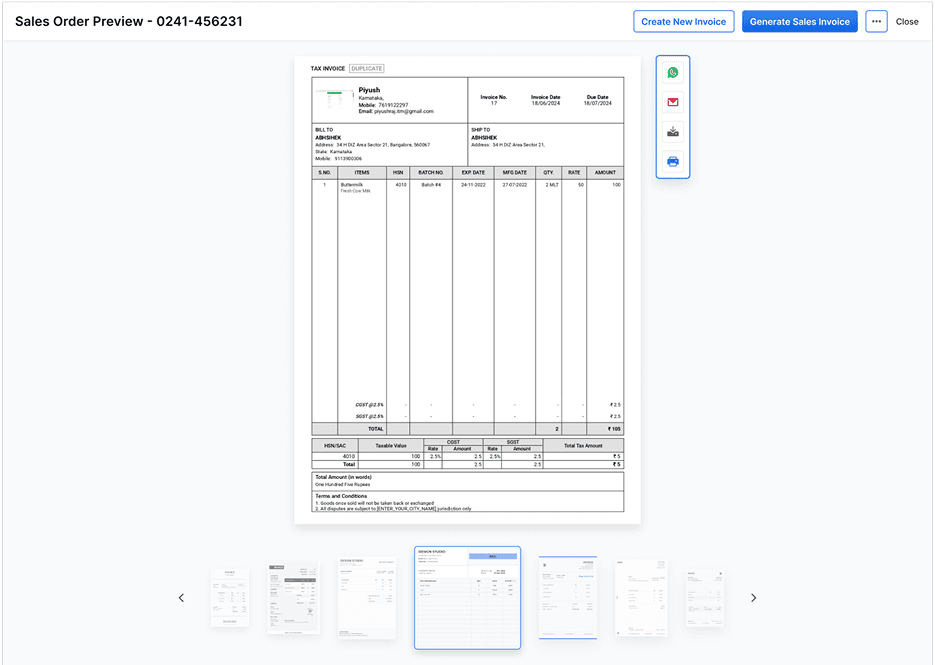
List of invoices

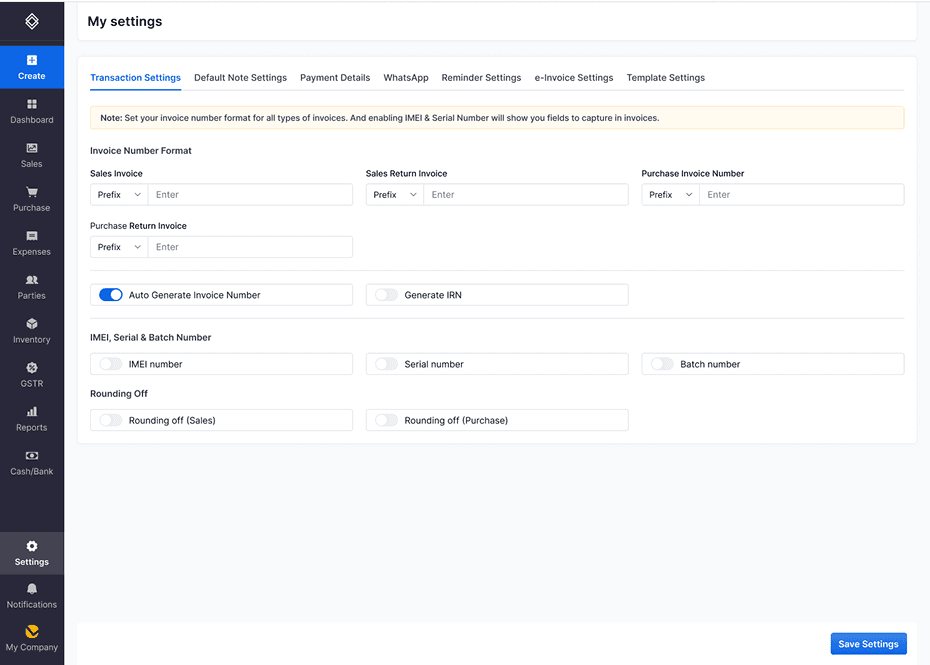
My Settings

Learnings

  1. User-Centric Design: Improved in understanding user needs through research and direct client interactions.

  2. Problem-Solving: Developed creative solutions to simplify complex workflows for SMEs and MSMEs.

  3. Collaboration: Gained experience working with a team to deliver cohesive and efficient designs.

  4. End-to-End Process: Enhanced skills in both UX research and UI design.

  5. Client Communication: Learned to effectively integrate client feedback into the design process.

  6. Professionalism: Balanced project demands while adhering to NDA constraints.
Create a free website with Framer, the website builder loved by startups, designers and agencies.