Ojasvi Khanna

Ojasvi Khanna

Ojasvi Khanna

UI/UX- Platform Redesign

Reimagining Dealership Management
in a Unified SaaS Platform

To reimagine and redesign the existing automobile platform into a visually appealing, intuitive, and role-centric experience that increases feature adoption, reduces user friction, and brings clarity to task flows — all without disrupting the platform's existing functionality.
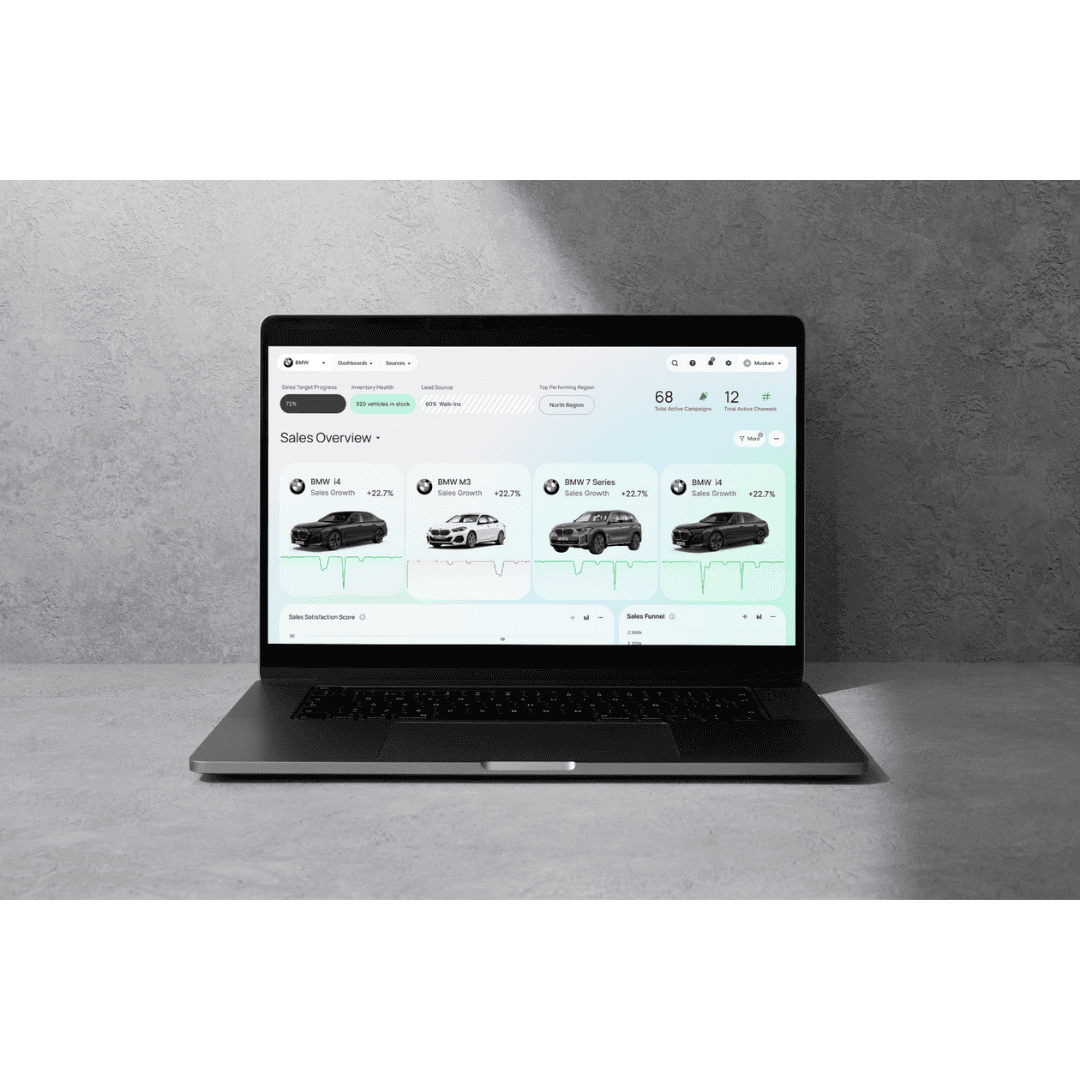

Scope

Industry Led Live Project

Industry

Automotive

Duration

3 Month

Tools

Figma,Adobe Photoshop,Useberry

Setting the Stage

Challenge

Challenge

Azure Autoverse, although functionally rich, suffered from:

  • Poor feature discoverability

  • Cluttered dashboard

  • Fragmented workflows and low engagement


Goal: Redesign the platform into a role-centric, scalable, and visually engaging SaaS experience without disrupting existing functionality.

Azure Autoverse, although functionally rich, suffered from:

  • Poor feature discoverability

  • Cluttered dashboard

  • Fragmented workflows and low engagement


Goal: Redesign the platform into a role-centric, scalable, and visually engaging SaaS experience without disrupting existing functionality.

My Role

My Role

Led the end-to-end redesign:

  • Research & stakeholder interviews

  • Defining UX problems

  • Ideation, wireframes

  • Design system, UI design & final prototype

Led the end-to-end redesign:

  • Research & stakeholder interviews

  • Defining UX problems

  • Ideation, wireframes

  • Design system, UI design & final prototype

Solution

Solution

A modular, visually dynamic SaaS platform that:


  • Enhances navigation

  • Simplifies data upload & visualization

  • Provides customized user journeys

  • Introduces AI-driven insights

A modular, visually dynamic SaaS platform that:


  • Enhances navigation

  • Simplifies data upload & visualization

  • Provides customized user journeys

  • Introduces AI-driven insights

Lets Dig Into it

Research Methods

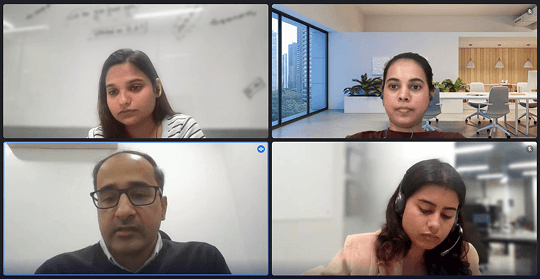
User Interview
-Interviewed 50+ users across different dealerships, consisting of MIS, EDP, CEO, CTO & Dealership Principles

-Combined qualitative interviews and surveys to gather insights.

-Focused on daily workflows, data pain points, and feature usage.

-Explored expectations around usability, AI, and reporting.

What do you like about platform

360° Dashboard Overview:
 A single screen shows leads, sales, service, and inventory—no need to switch tabs.

Status Indicators:

 Visual cues (like color-coded tags or badges) help users spot pending actions or alerts instantly

Inventory ageing:

Helps users track stock movement and make informed decisions without switching tools or views.

Ratings:

What do you like about platform

360° Dashboard Overview:
 A single screen shows leads, sales, service, and inventory—no need to switch tabs.

Status Indicators:

 Visual cues (like color-coded tags or badges) help users spot pending actions or alerts instantly

Inventory ageing:

Helps users track stock movement and make informed decisions without switching tools or views.

Ratings:

What do you dislike about platform

Manual checks needed due to case-sensitive column issues during uploads.

Occasional data mismatches.

Character limit restricted to 150 characters.

Difficult to share data with management — users rely on screenshots.

No option to delete wrongly uploaded files.

Benchmark targets need manual entry despite already uploading the data.

Overall data uploading process is slow and frustrating.

What do you dislike about platform

Manual checks needed due to case-sensitive column issues during uploads.

Occasional data mismatches.

Character limit restricted to 150 characters.

Difficult to share data with management — users rely on screenshots.

No option to delete wrongly uploaded files.

Benchmark targets need manual entry despite already uploading the data.

Overall data uploading process is slow and frustrating.

What are the key decisions you make in your role?

Resolve mapping issues and ensure data accuracy before uploading.

They found filtering, red flag indicators, and performance tracking helpful but wanted better comparison features.

Key tasks included reviewing metrics, fixing data issues, and managing access — all requiring faster, clearer workflows.

What are the key decisions you make in your role?

Resolve mapping issues and ensure data accuracy before uploading.

They found filtering, red flag indicators, and performance tracking helpful but wanted better comparison features.

Key tasks included reviewing metrics, fixing data issues, and managing access — all requiring faster, clearer workflows.

Stakeholder Interview

User adoption challenges

Resistance to change: Users, especially older age groups and dealership staff, are comfortable with Excel/paper-based systems.

Lack of motivation: No direct incentive or clear communication from management to shift to the dashboard.

Manpower churn: New joiners are unaware of the platform.

User adoption challenges

Resistance to change: Users, especially older age groups and dealership staff, are comfortable with Excel/paper-based systems.

Lack of motivation: No direct incentive or clear communication from management to shift to the dashboard.

Manpower churn: New joiners are unaware of the platform.

Dashboard usability issue

Data upload & mapping pain points: Complex workflows, frequent errors, 15MB file limits

Interface confusion: Users often don’t know where to click; error messages and help indicators are not prominent.

Customization: Users want drag-and-drop widgets, personalized views, and more filter options

Overall data uploading process is slow and frustrating.
User wants

User wants

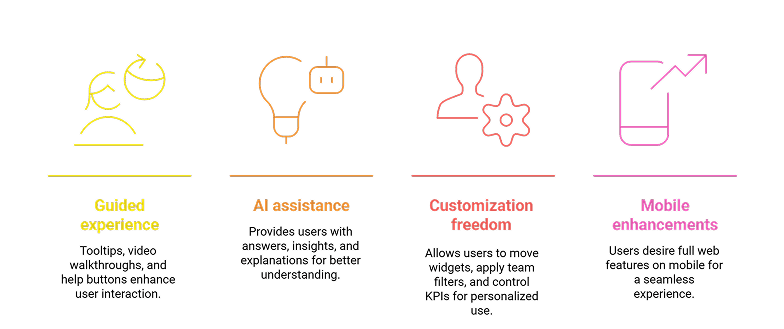
Key User Needs

Smart Dashboards: Intelligent, color-coded visualizations with dynamic charts, predictive analytics, and pre-saved custom views.

Efficient Data Handling: Simplified data entry, version control for datasheets, and easy access to frequently used reports.

Robust System Support: Error messages with guided steps, data backup and recovery, and intuitive file management.

Smooth Navigation: Easy search and navigation to boost user efficiency.

Common behaviours and patterns

Role-Specific Usage: Different roles have varying needs, from daily data uploads and monitoring for operational roles to high-level strategic oversight for CEOs

Desire for Customization: Users across roles express the need for better dashboard customization to improve relevance and ease of use.

Data Management Frustrations: Issues with file size limits and slow uploads are common, pointing to the need for optimization in data handling

Manual Workarounds: Users often rely on manual processes, especially when data formatting is inconsistent or uploads fail.

Major Pain Points

Manual data validation
Limited analytics capabilities
File size limitations
Poor error messaging
Slow upload/download speeds & Version tracking difficulties
Inadequate export options

Market Research
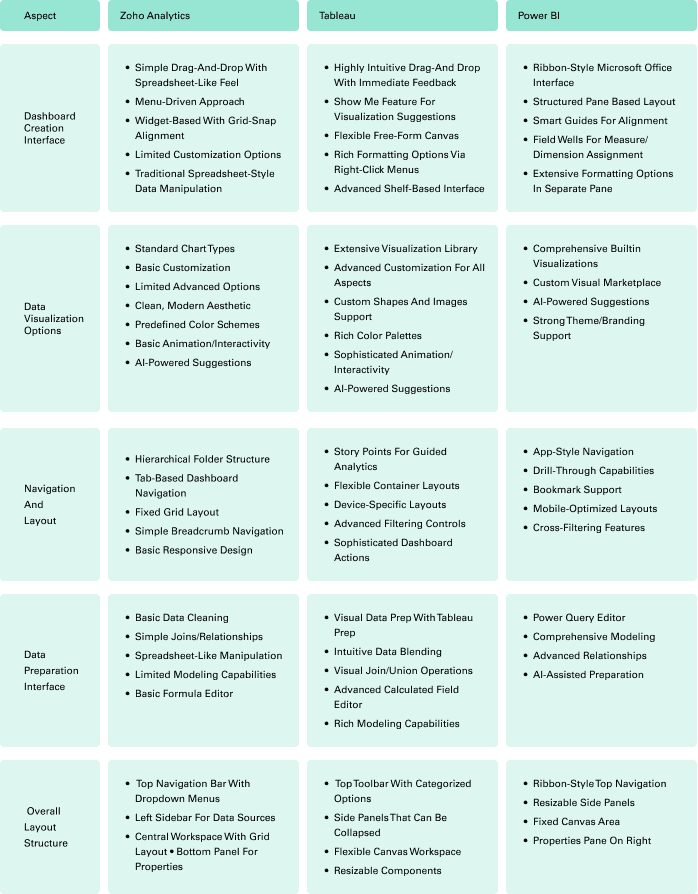
-Zoho Analytics provides user-friendly interface, better AI insights and minimal and clean layout.


-Tableau dominates with advanced visualization, better organisation of data sheets but has steep learning curve.4


-Power BI offers Excel-like familiarity, strong drill-through features, and Microsoft integration.

Priority recommendations
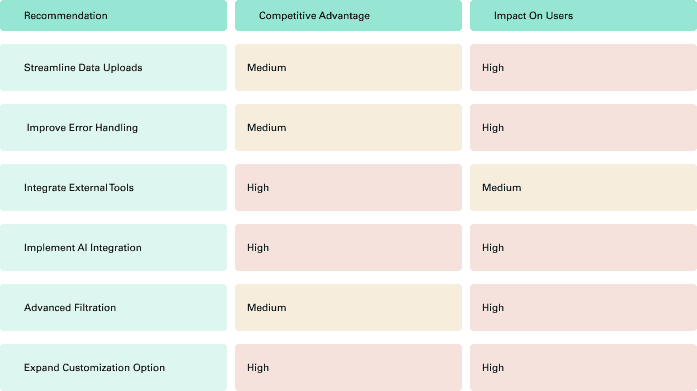
Opportunities for improvement

Streamlining Data Uploads


Address:
Limited file size restrictions, missing/incomplete data from source systems


Implement:
-Expanded file upload capabilities
-Automated data validation and completion
-Multi-system data synchronization

Advanced Customization


Address:
Limited dashboard customization, difficulty tracking across multiple systems


Implement:
-Flexible dashboard configuration by own
-Role-specific view and advanced filter options

Cross-Tool Integration


Address:

Integration problems between multiple software solutions


Implement:
-Develop robust API connectors for Excel data import/export capabilities
-CRM system synchronization

Connecting Dots

Kamlesh Mehta

Role:CEO/ CTOx

Persona-1

Location: Mumbai

Company Size: SME / MSME

Industry: Business Operations, Sales, Digital Transformation

[Goal]

Drive innovation to improve customer experience and business growth.

Stay ahead of tech trends and competitors.

Improve internal communication and decision-making.

[Frustrations]

Difficulty comparing performance across teams or systems.

Lack of real-time, accurate data updates.

Limited visibility into key business metrics and forecasts.

Frustration with slow or inconsistent implementation.

Ravi Sharma

Role: EDP

Persons-2

Location: Mumbai

Company Size: SME / MSME

Industry: Business Operations, Sales, Digital Transformation

[Goal]

Automate repetitive data tasks and validations.

Improve speed and accuracy of data processing.

Enhance interdepartmental data sharing and consistency.

[Frustrations]

Frequent issues with tracking changes and merging data across systems.

Delays due to slow updates, missing or duplicate data entries.

Lack of standard data protocols and limited upload/customization options.

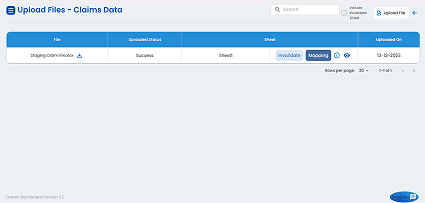
Card Sorting
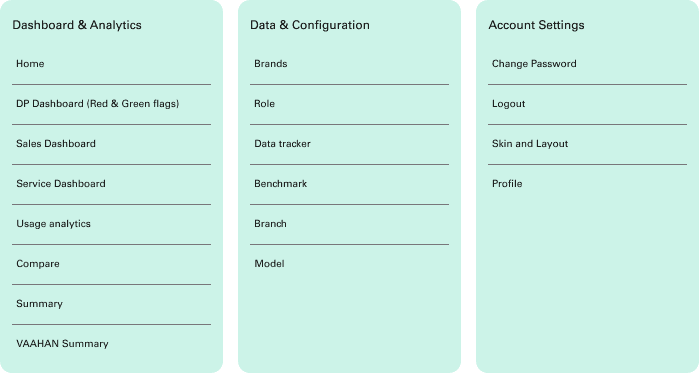
keys for better dealership management

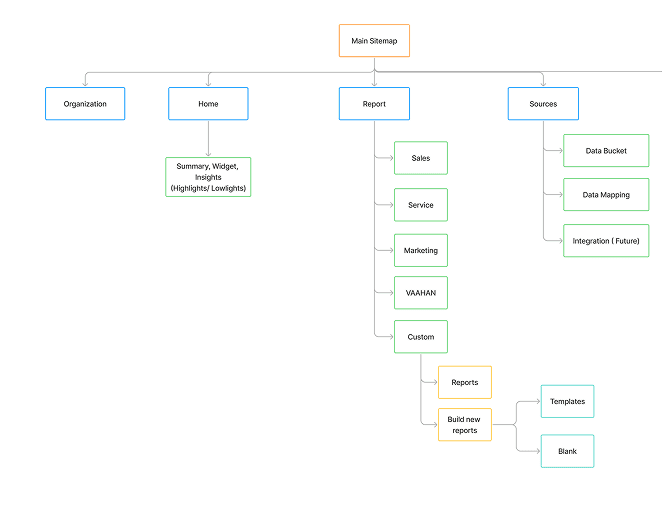
Fix Naviagtion
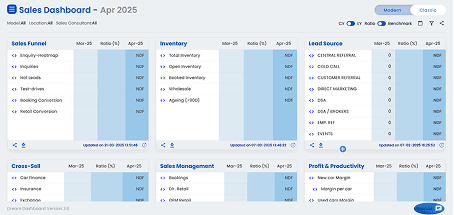
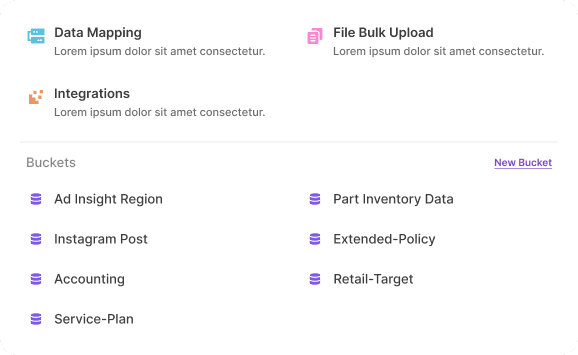
Bucket Management
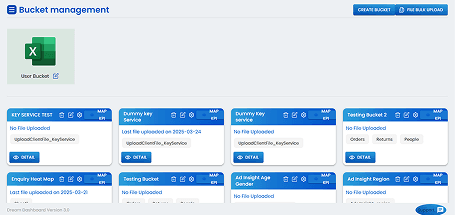
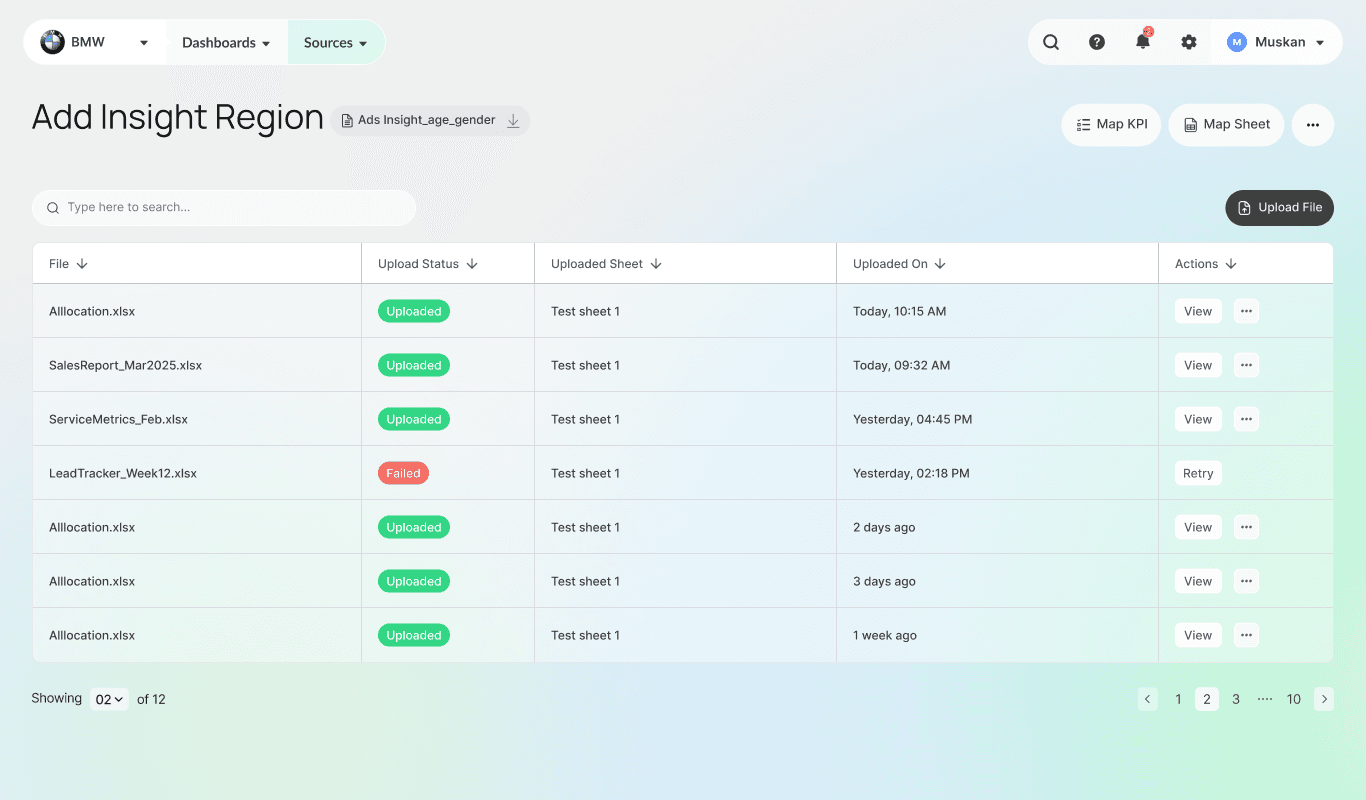
Easy Data Mapping
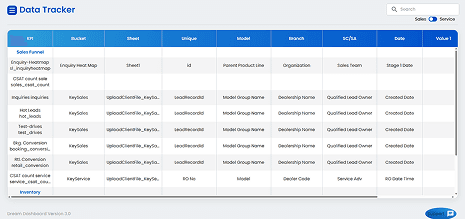
Simpler Data Upload
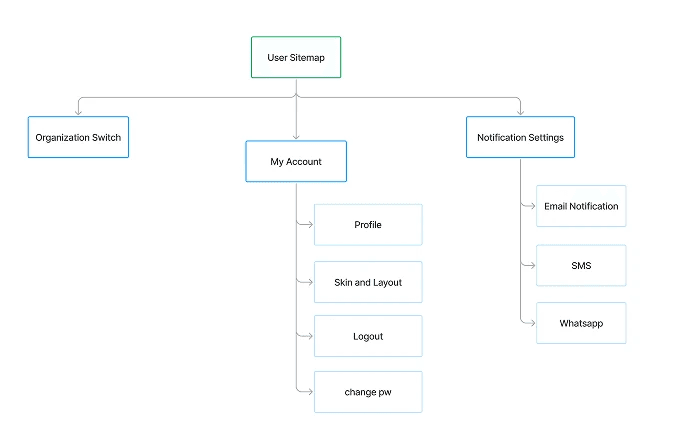
Sitemap
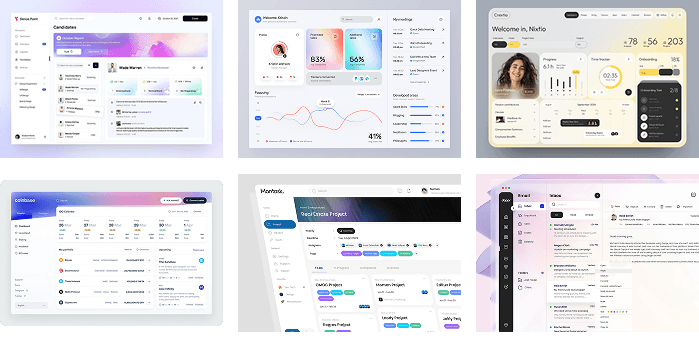
Setting the Vibe

Choosing the aesthetic of the platform
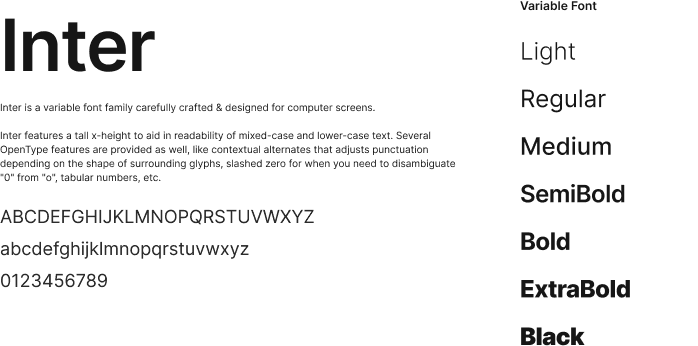
Typography
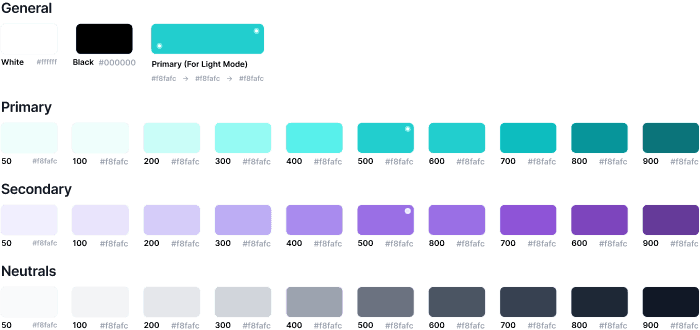
Colours
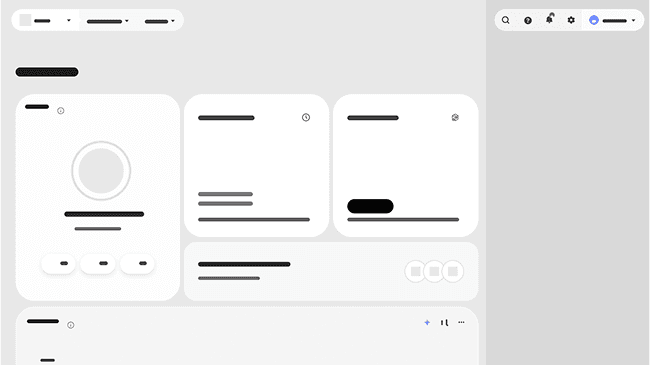
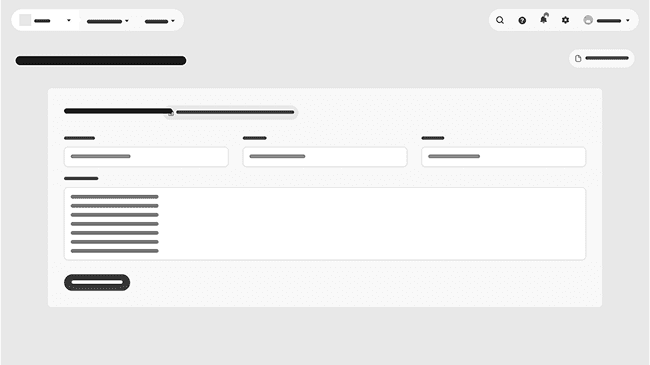
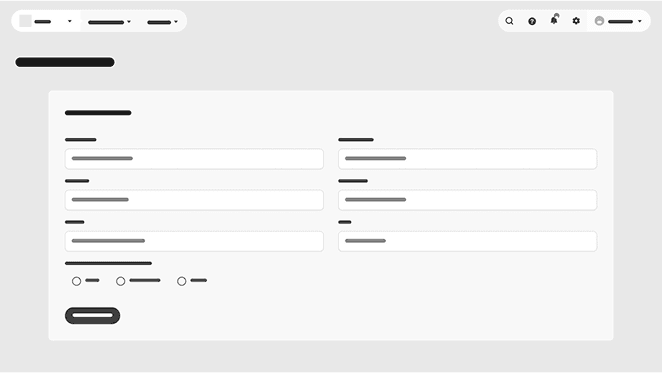
Sketching the Vision
Lets Execute the Thought

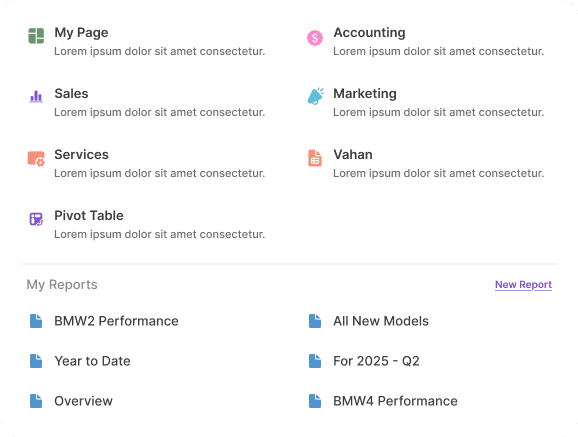
Enhanced and clearer navigation

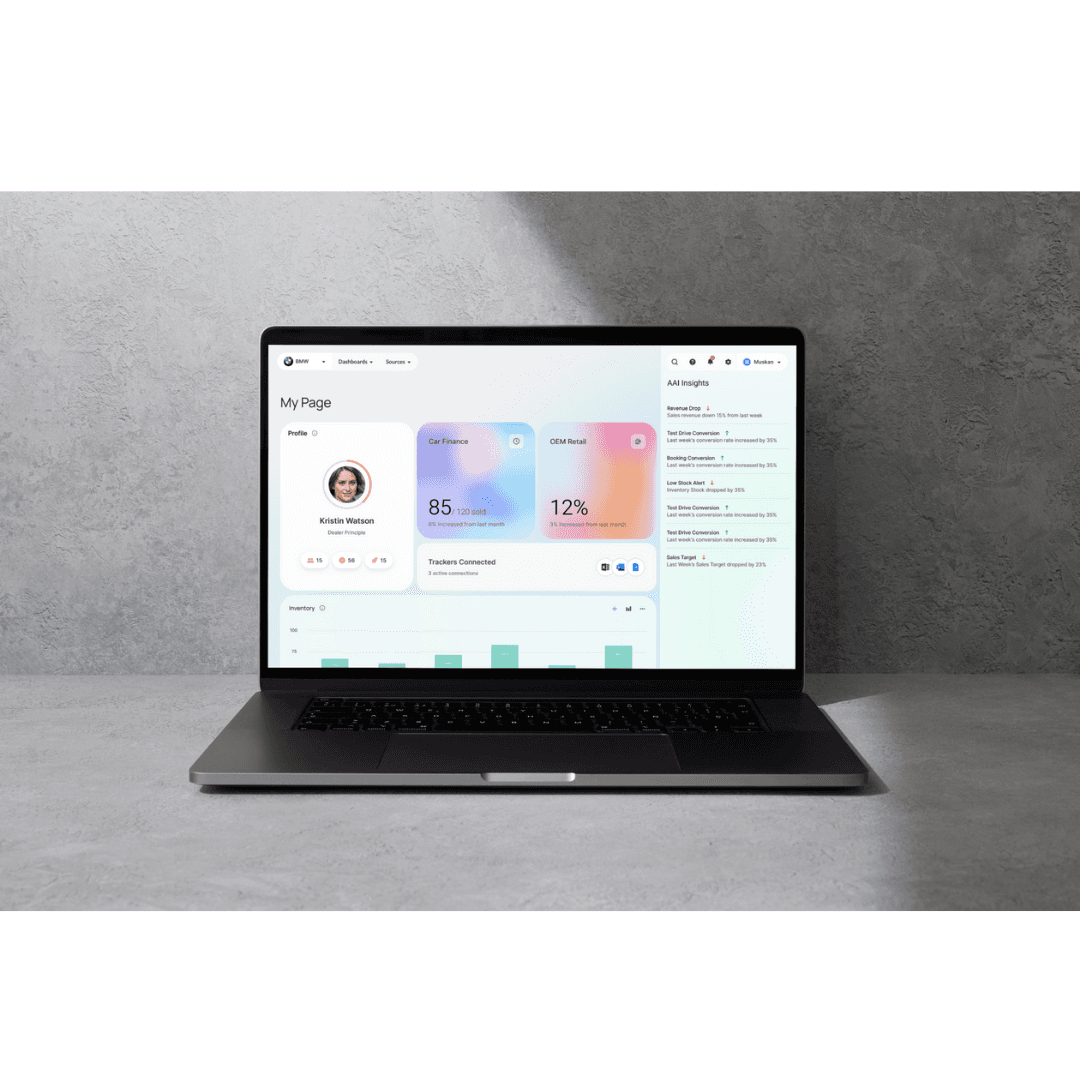
Dashboard
Sources
Sales Dashboard

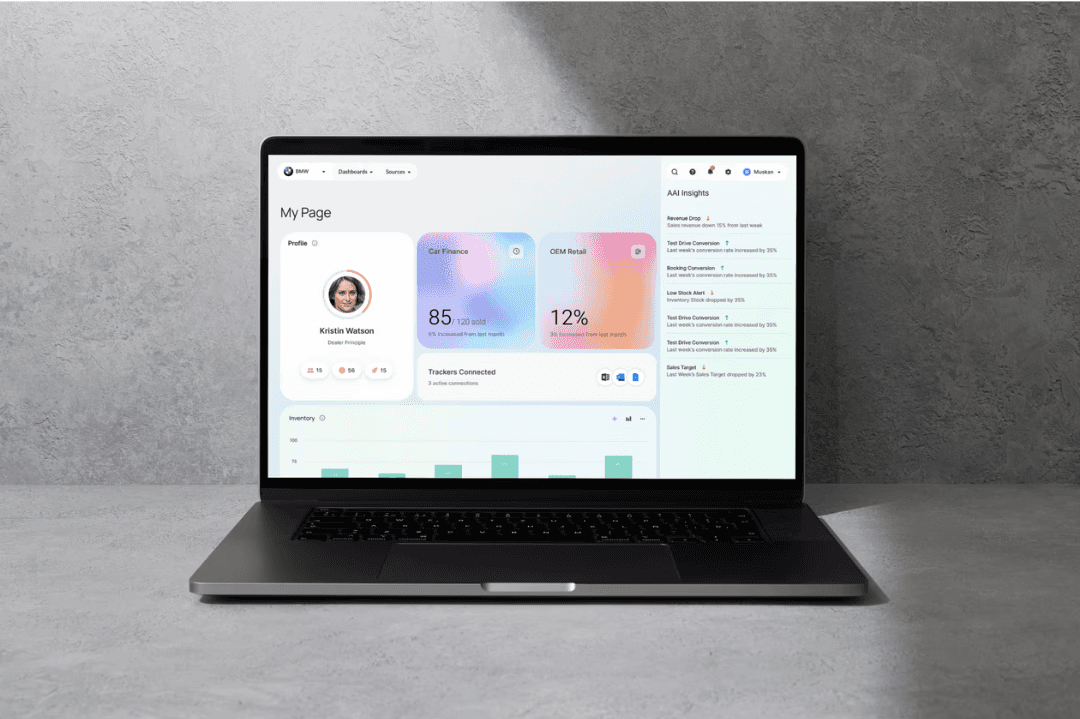
My Page
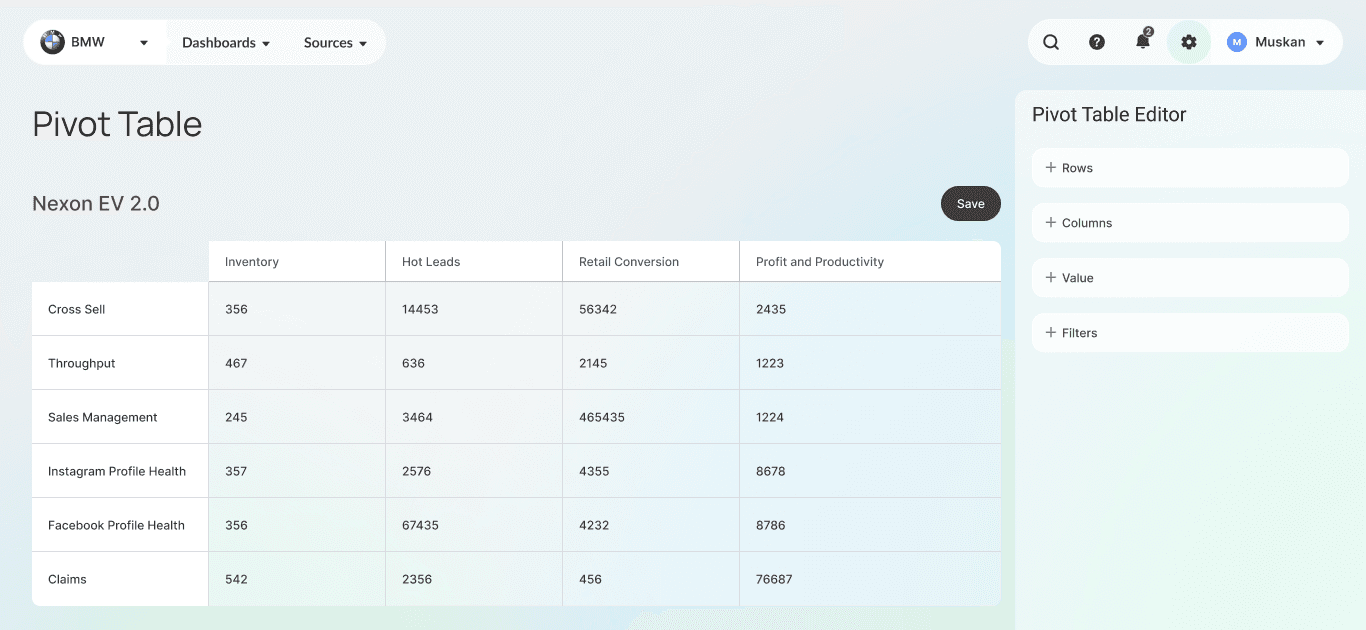
Pivot Table
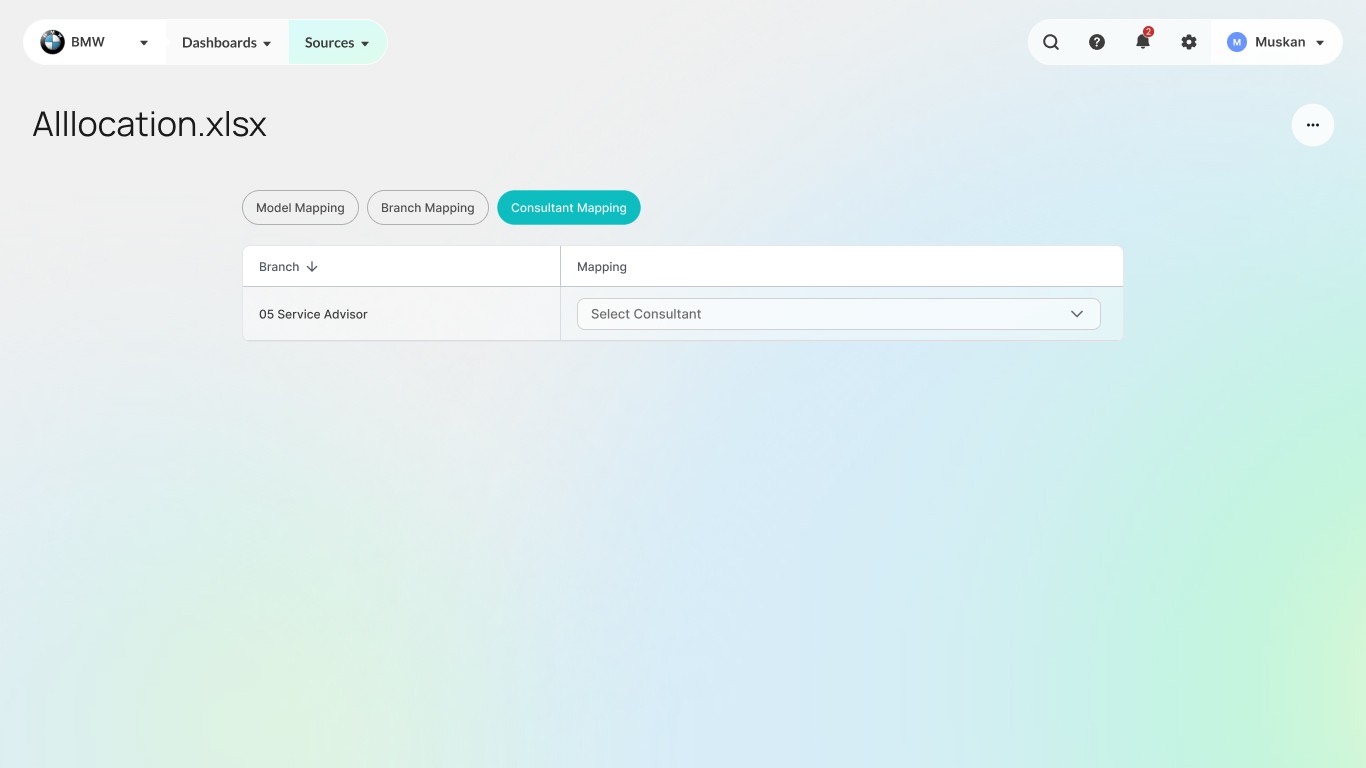
File Uploading and Mapping
Admin
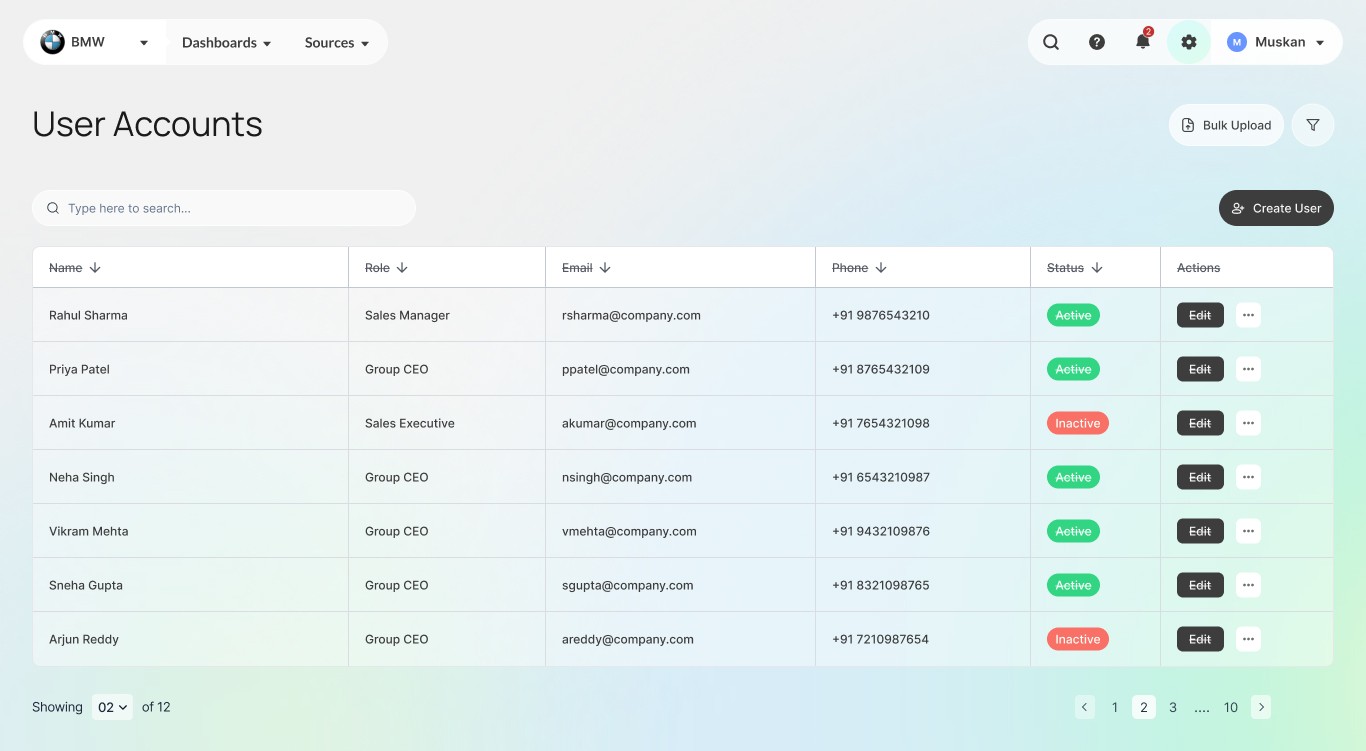
Schedule Report
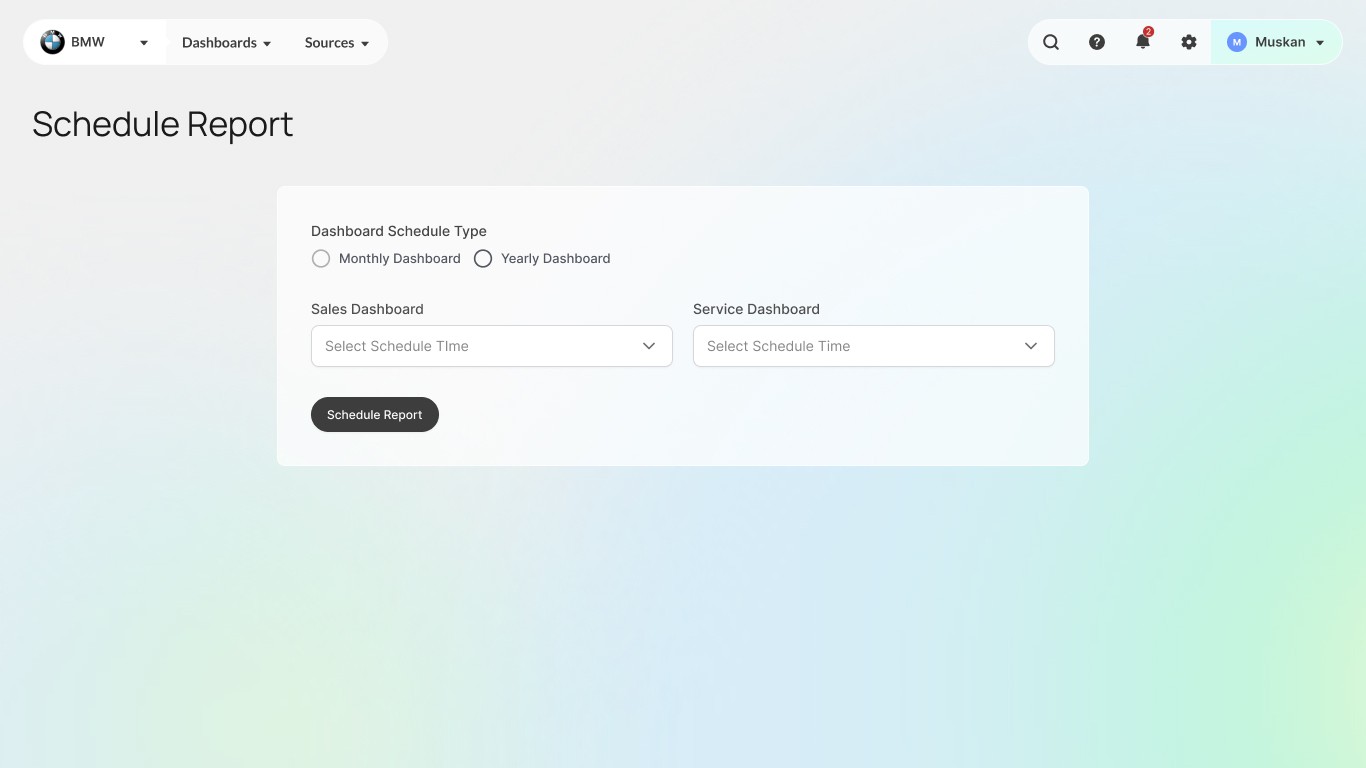
Learnings

Learnings

  1. User-Centric Design: Improved in understanding user needs through research and direct client interactions.

  2. Problem-Solving: Developed creative solutions to simplify complex workflows for SMEs and MSMEs.

  3. Collaboration: Gained experience working with a team to deliver cohesive and efficient designs.

  4. End-to-End Process: Enhanced skills in both UX research and UI design.

  5. Client Communication: Learned to effectively integrate client feedback into the design process.

  6. Professionalism: Balanced project demands while adhering to NDA constraints.

  1. User-Centric Design: Improved in understanding user needs through research and direct client interactions.

  2. Problem-Solving: Developed creative solutions to simplify complex workflows.

  3. Collaboration: Gained experience working with a team to deliver cohesive and efficient designs.

  4. End-to-End Process: Enhanced skills in both UX research and UI design.

  5. Client Communication: Learned to effectively integrate client feedback into the design process.

View More Work...

View More Work...

Create a free website with Framer, the website builder loved by startups, designers and agencies.